

TL;DR:
- Modern event platforms centralize planning tools, reducing errors and manual work for all event sizes.
- Top features include real-time guest management, QR check-in, and task assignment to streamline coordination.
- Choose platforms based on event size, budget, guest complexity, and analytics needs for optimal results.
Most people assume event coordination platforms are built for massive corporate conferences with six-figure budgets and full-time planning teams. That assumption leaves a lot of wedding hosts, private party organizers, and small business event planners managing spreadsheets, sticky notes, and group texts when better options exist. Modern platforms now put professional-grade tools in the hands of anyone organizing an event, regardless of scale or experience. This guide covers what these platforms actually do, which features matter most, how to pick the right one, and why the biggest mistakes hosts make have nothing to do with budget.
Table of Contents
- What are event coordination platforms?
- Core features that transform event planning
- How platforms streamline guest and task management
- Choosing the right event coordination platform for your needs
- What most event hosts overlook about coordination platforms
- Streamline your next event with We Do Plan
- Frequently asked questions
Key Takeaways
| Point | Details |
|---|---|
| Full-feature platforms | Modern event coordination tools combine registration, guest management, task tracking, and analytics all in one place. |
| Automated guest workflows | Platforms use real-time sync and QR codes to make check-in, communication, and attendance effortless. |
| Select for your event | Choose your platform based on event size, budget, and the critical features you actually need. |
| Avoid manual errors | Digital platforms minimize mistakes common with spreadsheets and emails, ensuring smoother execution. |
What are event coordination platforms?
Event coordination platforms are digital tools that centralize every moving part of an event into one place. Instead of juggling separate apps for guest lists, vendor emails, task reminders, and seating charts, you manage everything from a single dashboard. That shift alone removes a significant amount of friction from the planning process.
At their core, these platforms handle four primary functions:
- Registration and invitations: Digital RSVPs, custom invite pages, and automated confirmation emails
- Guest management: Real-time tracking of attendance, dietary preferences, and communication history
- Task coordination: Assigning responsibilities, setting deadlines, and monitoring progress across your team or vendor list
- Analytics and reporting: Attendance rates, budget usage, and post-event feedback collection
Platforms like Cvent, Bizzabo, and Eventbrite provide end-to-end tools for registration, guest management, task coordination, and analytics. What started as enterprise software has evolved into tools accessible to individual hosts planning weddings, milestone birthdays, and company retreats.
The reason both professionals and private individuals now use these tools comes down to one thing: the cost of disorganization. A missed vendor confirmation, a guest who never received their invitation update, or a seating chart built on outdated RSVP data can derail an otherwise well-planned event. Platforms solve these problems systematically rather than relying on memory or manual checking.
"The shift from spreadsheets to dedicated event platforms isn't about complexity. It's about replacing reactive problem-solving with proactive organization."
For anyone managing guest list management for the first time, the learning curve is shorter than expected. Most platforms are designed with non-technical users in mind, offering drag-and-drop interfaces and guided setup flows. And for those who want structured task tracking, event checklist tools built into these platforms ensure nothing slips through the cracks. You can find a broader breakdown of how these tools compare in this full platform overview.
Core features that transform event planning
Not every feature on a platform's marketing page will matter for your event. But a handful of them consistently make the difference between a smooth experience and a stressful one.
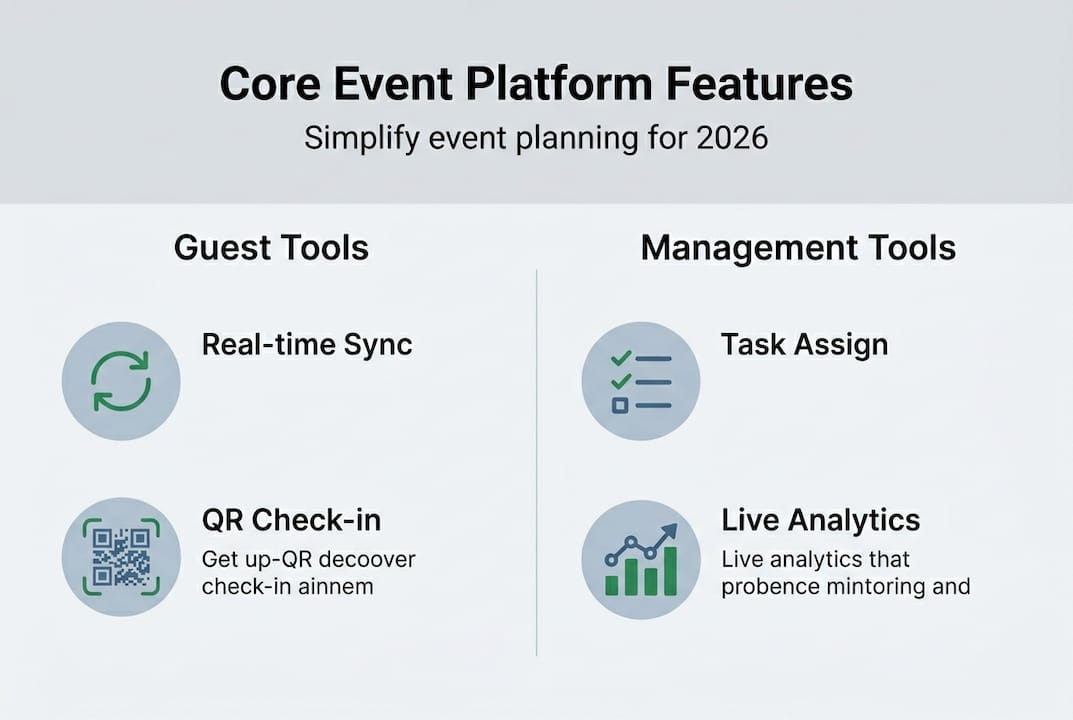
Real-time guest management and QR check-in rank at the top. Platforms simplify guest management via real-time data sync, QR check-in, and personalized agendas, reducing manual errors that typically happen when teams rely on printed lists or separate spreadsheets. On the day of your event, a QR code scan updates attendance instantly, which matters when you're coordinating a 200-person wedding reception or a corporate product launch.
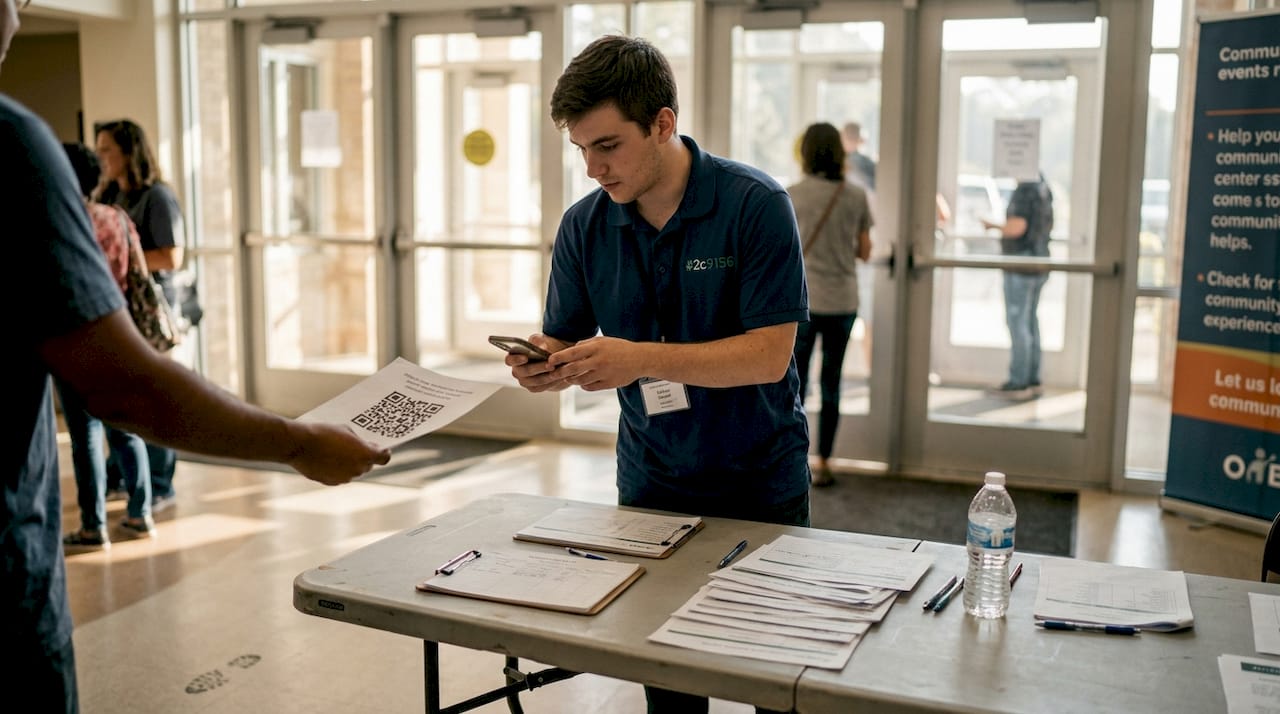
Personalized attendee agendas are especially valuable for multi-session corporate events or weddings with separate ceremony and reception timings. Guests receive their own schedule, reducing the volume of "where do I go next" questions.
Task assignment and vendor communication tools let you assign specific responsibilities to team members or vendors, set deadlines, and track completion. This replaces the endless email chains that slow down coordination. You can manage vendor coordination directly within the platform, keeping all communication in one thread.
Live analytics and reporting give you visibility during the event itself, not just after. You can monitor check-in rates, identify no-shows in real time, and adjust catering or seating accordingly.
Here's a quick comparison of how leading platforms stack up on core features:
| Feature | Cvent | Bizzabo | Eventbrite |
|---|---|---|---|
| QR check-in | Yes | Yes | Yes |
| Seating charts | Yes | Limited | No |
| Vendor management | Yes | Yes | No |
| Personalized agendas | Yes | Yes | Limited |
| Free plan available | No | No | Yes |
| Pricing tier | Enterprise | Mid-market | Free to low-cost |
For a deeper platform feature comparison, independent review sites provide side-by-side breakdowns with verified user ratings.
Pro Tip: Combine seating chart tools with your guest check-in updates so any last-minute RSVP changes automatically reflect in your seating layout. This single connection saves hours of manual adjustment on event day.
How platforms streamline guest and task management
Knowing which features exist is one thing. Seeing how they connect in practice is what makes the difference. Here's a step-by-step look at how a typical guest management workflow runs on a modern coordination platform:
- Send invitations: Upload your guest list and send digital invitations with a built-in RSVP link
- Track RSVPs in real time: The platform updates your guest count automatically as responses come in
- Communicate updates: Send bulk or personalized messages about schedule changes, venue details, or reminders
- Finalize logistics: Use confirmed attendance data to finalize catering numbers, seating arrangements, and name badges
- Run check-in on the day: Scan QR codes at the entrance and watch attendance records update instantly
Task management follows a similar flow. You assign each task (vendor deposit, venue walkthrough, catering confirmation) to a responsible person, set a deadline, and the platform tracks completion. This is especially useful when coordinating across multiple vendors or a planning committee.
Platforms reduce manual errors for weddings and private events by replacing fragmented communication with centralized tracking. The numbers back this up: Cvent processes millions of events per year for over 100,000 organizations, with a user rating of 4.5 out of 5 across 990 reviews. Bizzabo holds a 4.4 out of 5 rating across 171 reviews.
| Platform | User Rating | Reviews | Events Processed Annually |
|---|---|---|---|
| Cvent | 4.5/5 | 990 | Millions |
| Bizzabo | 4.4/5 | 171 | Thousands |
| Eventbrite | 4.3/5 | 10,000+ | Millions |
For task tracking, the event task checklist feature keeps your planning timeline visible at all times. Pair it with budget tracking tools to monitor spending alongside task progress, so you're never surprised by where your money went.
Pro Tip: Set automated reminders for RSVP deadlines and vendor payment dates. Most platforms let you configure these in minutes, and they prevent the most common bottlenecks that push timelines off track. Review additional guest management strategies to build a workflow that fits your event size.
Choosing the right event coordination platform for your needs
With dozens of platforms available, the decision comes down to four factors: event size, budget, guest list complexity, and your need for analytics.
Event size matters because platforms are priced and structured around scale. A 40-person birthday dinner doesn't need enterprise-level infrastructure. A 500-person corporate summit does.
Budget is the most immediate filter. Eventbrite is free for low-volume events, while Bizzabo runs $15,000 to $50,000 per year for mid-market clients. Cvent sits at the enterprise level with custom pricing. Knowing your budget upfront eliminates most of the noise.
Guest list complexity refers to how much variation exists in your attendee data. A wedding with dietary restrictions, plus-ones, and table assignments requires more robust guest management solutions than a simple ticketed concert.
Analytics needs separate platforms built for corporate accountability from those designed for personal celebrations. If you need post-event reporting for stakeholders, choose a platform with strong data export and dashboard features.
Here's how different scenarios map to platform strengths:
| Event type | Recommended platform | Key reason |
|---|---|---|
| Small wedding (under 100 guests) | WdPlan or Eventbrite | Affordable, intuitive, guest-focused |
| Large corporate event (500+) | Cvent | Enterprise scale, deep analytics |
| Mid-size private celebration | Bizzabo or WdPlan | Balanced features, vendor tools |
| Ticketed public event | Eventbrite | Built-in ticketing, free tier |
Cvent alone serves over 100,000 organizations, which tells you how widely these tools have been adopted across industries. For a curated list of options based on event type, check these platform recommendations to narrow your shortlist.
What most event hosts overlook about coordination platforms
Here's something we've noticed consistently: hosts either over-customize their platform setup or ignore the built-in tools entirely and try to replicate their old manual systems inside the new software. Both approaches waste time and create more confusion than they solve.
The instinct to customize everything comes from a good place. You want your event to feel unique. But spending three hours configuring a custom notification workflow when the default one works perfectly is a trade-off that rarely pays off. Platform defaults exist because they reflect what works for most events.
On the other side, hosts who import their spreadsheets and keep managing guests manually miss the entire point. The native communication tools inside these platforms, like automated RSVP reminders and bulk messaging, are faster and less error-prone than any manual workaround.
Our honest advice: start with the defaults, run your first event, and then adjust based on what actually caused friction. You'll find that most of what you thought needed customizing works fine out of the box. And when it comes to vendor integration tools, using the platform's built-in connection is almost always smoother than managing vendors through a separate email thread.
Streamline your next event with We Do Plan
If this guide helped clarify what event coordination platforms can do, the next step is putting those tools to work for your specific event.
WdPlan brings together guest management, task checklists, seating charts, vendor coordination, and budget tracking in one place, built for both first-time hosts and experienced planners. Whether you're organizing an intimate wedding or a company-wide summit, the platform scales to fit your needs without requiring a steep learning curve. Start with the customizable event checklist to map out your timeline, then build your smart guest list manager to track every RSVP and attendance update in real time. A free trial gets you inside the platform immediately, with no commitment required.
Frequently asked questions
What types of events benefit most from coordination platforms?
All event types, including weddings, corporate meetings, and private parties, see improved efficiency and fewer errors with digital platforms. End-to-end tools streamline planning across every event category, regardless of size.
How do platforms handle guest check-in and attendance?
Features like QR codes and real-time sync automate guest check-in, instantly updating attendance records and reducing manual tracking. Real-time data sync eliminates the need for printed lists or manual tallies at the door.
Are event coordination platforms expensive for small events?
Not necessarily. Eventbrite is free for low-volume events, while platforms like Bizzabo and Cvent price higher for mid-market and enterprise needs. Many platforms offer tiered plans that scale with your event size.
Can I coordinate seating and vendor tasks on the same platform?
Yes. Most platforms offer integrated tools for seating charts, vendor management, and task assignment in one dashboard. Integrated planning tools remove the need to switch between separate apps for each function.